


Seattle Dev

Custom Content Management Systems

A content system matched to how your team actually publishes, not a generic page builder you outgrew.
Editor updating a web page at a standing desk in a bright office

If publishing needs a developer ticket, the CMS failed.

How we start

Connect, write a plan, then stay in the work

You are not hiring a vendor who vanishes after a kickoff. You get us as an embedded partner who learns the business, then ships against the plan.

01

Connect

Thirty minutes. We learn how the business actually runs: who buys, what is broken, what a good month looks like after launch.

02

Write a plan

What to build, what to skip, an honest range, and whether we are the right fit. You leave with a path, not a pitch deck.

03

Embed

You work with the people who ship it. We stay in the work after launch so the site does not rot the week after deploy.

CMS Capabilities That Fit Real Teams

Editing, permissions, and publishing tools modeled on your content types and approval chains.

Intuitive Content Editing

Create and edit content with user-friendly interfaces designed specifically for your team's skill level. No coding required: just simple tools that make publishing straightforward.

Digital Asset Management

Organize and find your images, videos, and documents with a custom media library that includes smart search, tagging, and version control tailored to your workflow.

Role-Based Permissions

Control who can create, edit, and publish content with customizable user roles and workflows that match your organization's approval processes and security requirements.

Content Scheduling & Versioning

Plan your content calendar with built-in scheduling tools and keep track of changes with version history designed around how your team collaborates.

Multi-Site & Multi-Language Support

Manage multiple websites or language versions from a single dashboard with tools specifically designed to handle your international or multi-brand content.

Custom Content Types & Fields

Structure your content exactly how you need it with custom content types, fields, and relationships that perfectly match your business's unique information.

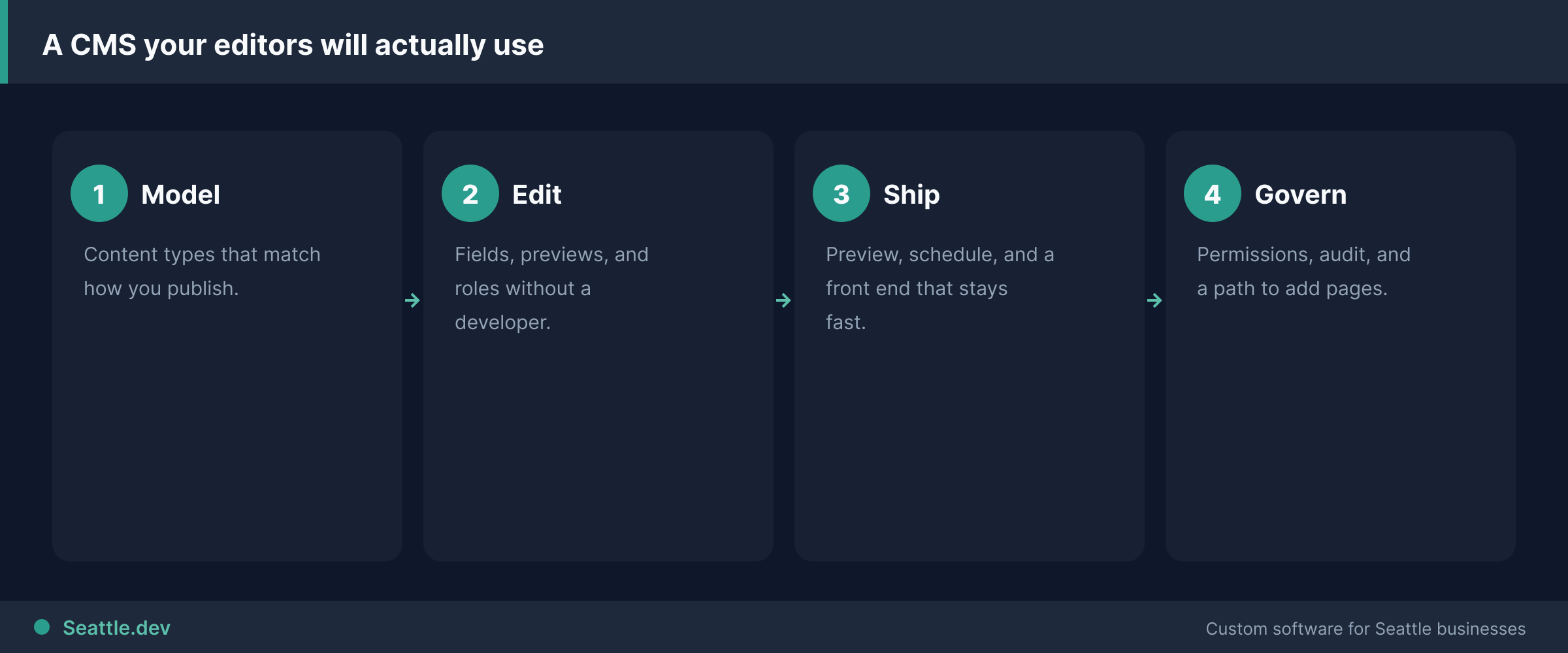
CMS delivery process
Model the content. Then let editors ship it.

Most businesses do not need a custom CMS

I will tell you that on the first call. If you run a ten-page site and a blog, WordPress or a hosted builder is the right tool. That is the same honesty I use when helping small businesses make technology decisions: buy the boring tool when it fits. Custom CMS development starts making sense when content operations become the bottleneck: several sites or brands, staff or partners who should only touch their own slice, approval chains legal requires, or one body of content that must feed your website, customer portal, and sales materials at once.

When that is your situation, I build the CMS around your publishing workflow instead of training your team to survive someone else's.

Who this is for

Teams maintaining multiple sites, brands, or locations and re-entering the same content into each one.

Orgs where the off-the-shelf admin is ninety percent unused features and ten percent fear.

Publishers who need review, approval, or an audit trail before anything goes live.

Companies whose structured content must power a website, a portal, an app, or a printed catalog from one source.

Who this is not for

A simple marketing site with a blog. Buy WordPress, Webflow, or a good hosted CMS. I will say so and save you the custom bill.

Buyers who want "WordPress but completely custom" for prestige. That is usually the worst of both worlds.

Teams that will not assign editors and owners. Software cannot fix a content process nobody runs.

What I build

Editing that matches your content. Types and fields modeled on products, locations, team, resources: not a generic page with a giant text box.

Roles that match your org chart. Regional managers edit their region. Marketing approves. Nobody sees a button they should not press.

A media library people use. Tagging, search, version history.

Publishing on your schedule. Drafts, scheduled go-lives, preview links, rollback.

Delivery anywhere. Site, portal, or API when other systems need the same content.

How a CMS project runs

I watch how your team publishes today: where content is born, who touches it, where it gets stuck. Then a thin vertical slice: one content type, editable and live, before the full feature list. Existing content migrates with URLs and metadata intact so search rankings survive. Migration discipline matches data migration strategies for switching systems.

Cost is scoped after discovery. Most projects land in the $30,000–$100,000 range in the pricing FAQ, driven by content types, permission rules, and legacy migration. Timelines similar to portal work: weeks, not quarters, with a working editor early. Architecture choices that keep the CMS maintainable are covered in building business software that lasts. After launch, ongoing support and managed hosting keep it patched and fast.

Next step

If your team fights the CMS more than they use it, schedule a free consultation or request a quote. Bring your ugliest publishing workflow. I will say custom build or a better setup of what you already have.

Talk to an expert

Content control without a new CMS religion

Free 30-minute call. Bring the publishing mess. I will say custom CMS, a better WordPress setup, or leave it alone.

We take on a small number of new builds at a time so every project gets focused attention.

Prefer a range first? Run the 2-minute cost estimator .

FAQs

Do I need a custom CMS or will WordPress work?

If you run a simple marketing site and a blog, WordPress or a hosted builder is usually the right tool. Custom CMS development makes sense when content operations are the bottleneck: multi-brand sites, strict roles and approvals, structured content feeding a portal, or workflows no off-the-shelf CMS models cleanly.

How much does custom CMS development cost?

Most SMB content-platform work lands in the broader custom software ranges I publish for portals and business apps, often $30,000–$100,000 depending on roles, workflows, and delivery surfaces. I scope to the publishing problem that actually costs you time, not a rewrite of every page type.

How long does a custom CMS project take?

A focused content admin for one site or portal often ships in 4–8 weeks. Multi-site, complex approvals, or tight portal delivery can run 8–16 weeks. We phase so editors can try real workflows early.

Can the CMS feed a client portal or multiple sites?

Yes. That is a common reason to go custom: one structured content store with roles, then delivery to a marketing site, partner portal, or both. If you only need a single brochure site, you probably do not need this.

Talk to an expert

Content control without a new CMS religion

Free 30-minute call. Bring the publishing mess. I will say custom CMS, a better WordPress setup, or leave it alone.

We take on a small number of new builds at a time so every project gets focused attention.

Prefer a range first? Run the 2-minute cost estimator .

Seattle.dev Footer Background
Seattle Dev

Custom web development and design for Seattle businesses. We specialize in API integration, custom web portals, and business automation.