
[object Object]

One of the first questions businesses ask about custom software is "How much will this cost?" It's a fair and important question. The answer, frustratingly, is always "It depends." That response sounds evasive, but it's honest—custom software costs vary dramatically based on complexity, requirements, team composition, and dozens of other factors.

Understanding Custom Software Costs: What You're Really Paying For

One of the first questions businesses ask about custom software is "How much will this cost?" It's a fair and important question. The answer, frustratingly, is always "It depends." That response sounds evasive, but it's honest—custom software costs vary dramatically based on complexity, requirements, team composition, and dozens of other factors.

A simple customer portal might cost $20,000. A complex business management system could run $200,000 or more. The same "customer portal" description could reasonably fit either price range depending on what it actually does, how many integrations it needs, what performance requirements exist, and how polished the user experience should be.

This uncertainty makes budgeting difficult and creates anxiety. You don't want to overpay for capabilities you don't need, but you also don't want to discover midway through a project that completing what you actually need costs far more than initially estimated. Understanding what drives custom software costs helps you make informed decisions, evaluate proposals accurately, and invest appropriately for your needs.

What You're Actually Paying For

Custom software costs primarily represent skilled labor over time. Understanding the work involved reveals why costs are what they are.

Time to understand your requirements. Before writing code, developers need to deeply understand what you're building and why. This discovery phase involves conversations about your business, workflows, pain points, users, and goals. Good requirements understanding prevents building wrong solutions. Rushing this phase to save costs typically leads to expensive corrections later.

Discovery time varies with complexity. A straightforward internal tool might require a few meetings. A customer-facing platform with complex workflows and multiple user types might need weeks of requirements gathering, workflow mapping, and technical planning.

Designing solutions that fit your needs. Once requirements are understood, architects and developers design how the system will work—database structures, API designs, integration approaches, user interfaces, and technical architecture. These design decisions determine whether your software is maintainable, scalable, and extensible.

Design work doesn't produce visible output initially, which makes some businesses want to skip it and "just start coding." But design time prevents expensive rework. Poor design decisions discovered during development require throwing away completed work and starting over. Spending time on design saves more time during development.

Actually building the software. Writing code, creating interfaces, implementing business logic, building integrations—this is what most people think of as "development." It's a substantial portion of project cost but not the only cost. Code quality matters enormously here. Fast, sloppy development produces technical debt that becomes expensive later. Thoughtful development takes longer initially but creates maintainable systems.

Development time depends on feature complexity, integration requirements, performance needs, and quality expectations. A simple CRUD interface takes hours. Complex workflow automation with multiple integrations takes weeks.

Testing to ensure everything works. Software needs testing at multiple levels—unit tests for individual functions, integration tests for connected systems, end-to-end tests for complete workflows, and user acceptance testing to verify business requirements are met. Thorough testing catches problems before they reach production, where they're far more expensive to fix.

Some businesses try to save money by reducing testing. This is false economy. Problems caught during development take hours to fix. The same problems discovered in production cost days or weeks to resolve, plus they damage operations and user trust.

Deployment and operational setup. Getting software running in production environments involves infrastructure setup, deployment pipeline configuration, monitoring implementation, backup systems, and security hardening. This operational work ensures your software runs reliably and recovers gracefully from problems.

Deployment complexity varies with architecture. Simple applications might deploy easily. Distributed systems with multiple components and integrations require sophisticated deployment processes.

Documentation and knowledge transfer. Software needs documentation for multiple audiences—technical documentation for future developers, user guides for people using the system, and operational documentation for maintaining and supporting it. Creating good documentation takes time but proves invaluable when onboarding new users or developers.

Some projects skimp on documentation to save costs. Then six months later, nobody remembers how something works or why specific decisions were made. Paying for documentation upfront saves more cost later.

Variables That Significantly Impact Cost

Understanding what makes projects expensive helps you make trade-offs that align cost with value.

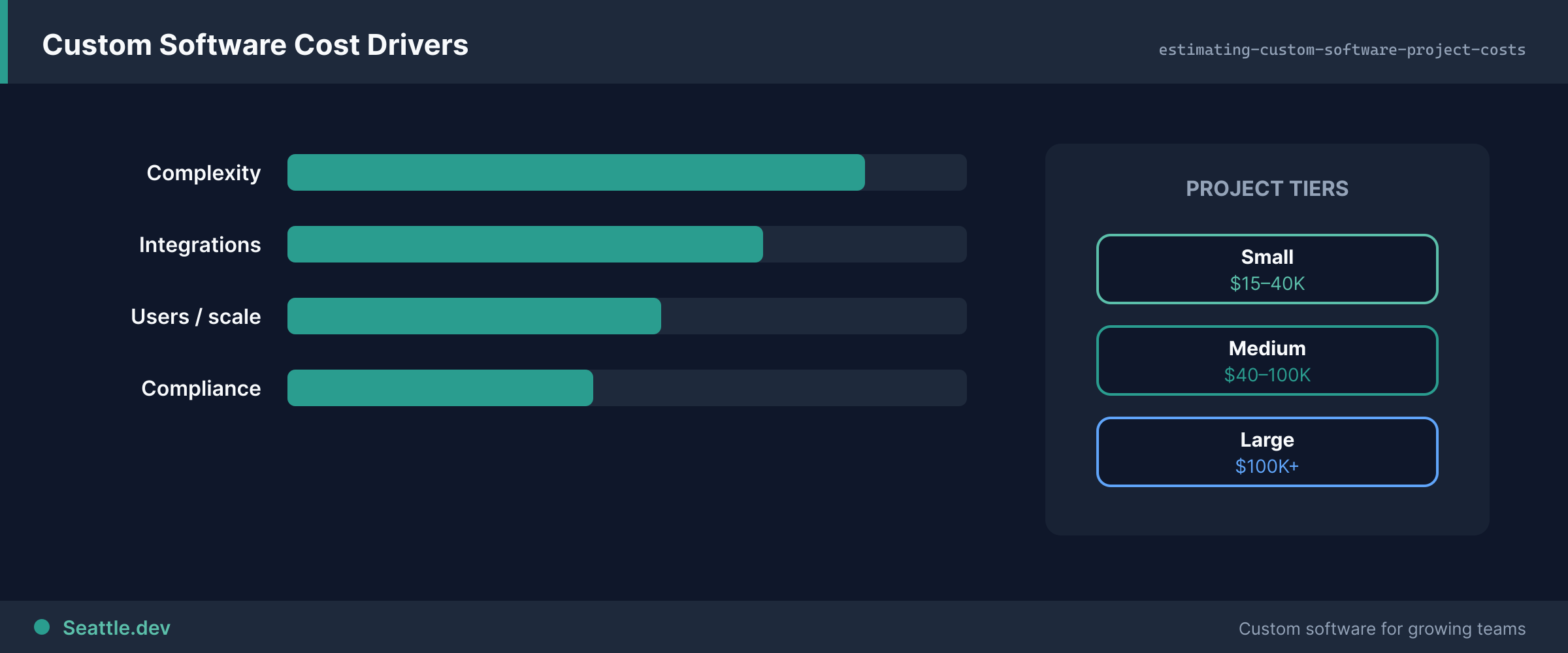
Feature complexity and quantity. More features cost more—that's obvious. But complexity per feature matters as much as quantity. Ten simple features might take less time than three complex features. When evaluating scope, consider both what you're building and how complicated each capability is.

Complex features involve intricate business logic, multiple edge cases, many user interaction states, or sophisticated calculations. Simple features have straightforward logic and predictable behavior. Reducing complexity where possible provides more value than reducing quantity of simple features.

Integration requirements. Connecting to external systems—payment processors, business tools, APIs, databases—adds substantial complexity. Each integration requires understanding another system's documentation, handling authentication, dealing with their data formats, implementing error handling for their failures, and maintaining compatibility when they change.

Projects with five or ten integrations cost dramatically more than standalone systems. If your project requires connecting many systems, expect significant cost in integration development and ongoing maintenance.

User experience polish. Functional interfaces can be built relatively quickly. Polished, intuitive experiences that feel great to use require substantially more time. Designers iterate on layouts, refine interactions, perfect responsive behavior, add helpful micro-interactions, and conduct usability testing.

For internal tools used by trained employees, moderate polish often suffices. For customer-facing applications where user experience drives adoption and satisfaction, investing in exceptional UX makes business sense. Choose appropriate polish levels for each interface rather than applying the same standard everywhere.

Performance and scale requirements. Software that handles a hundred users and a thousand database records requires different architecture than software handling ten thousand concurrent users and millions of records. High-performance, high-scale systems need sophisticated caching, database optimization, load balancing, and architecture that adds development complexity.

Be realistic about actual requirements. You probably don't need to scale to millions of users immediately. Build for current needs plus reasonable growth headroom. You can optimize and scale when you actually need to, which is often cheaper than over-engineering initially.

Security and compliance needs. If you handle sensitive data, process payments, or operate in regulated industries, security and compliance requirements add cost. You need secure authentication, encrypted data storage, audit logging, regular security testing, compliance documentation, and perhaps certifications.

These requirements aren't optional—cutting corners on security creates unacceptable risk. Budget appropriately for necessary security and compliance work rather than treating it as optional overhead.

Custom vs. off-the-shelf components. Using established libraries, frameworks, and services reduces development cost compared to building everything from scratch. Payment processing through Stripe costs less than building custom payment infrastructure. Authentication through Auth0 costs less than implementing from scratch.

However, third-party services have ongoing costs and potentially less flexibility. The right balance depends on your specific needs. Don't reinvent wheels unnecessarily, but don't accept inflexibility that fundamentally limits your software either.

Why Estimates Are Ranges, Not Exact Prices

Software estimates are fundamentally uncertain because requirements evolve as everyone learns what's really needed.

Requirements clarify during development. Initial requirements represent your current understanding of what you need. As development progresses and you see working software, understanding improves. You discover edge cases, realize features need different behavior, or identify gaps in initial requirements. This evolution is normal and healthy—it means building right solutions rather than wrong solutions that match initial assumptions.

Good development processes accommodate this learning. Fixed-price, fixed-scope contracts pretend requirements won't evolve, which often produces software that technically meets specifications but doesn't actually solve problems well. More flexible approaches that adapt to improved understanding typically deliver better value.

Technical challenges emerge during implementation. Sometimes implementation reveals unexpected complexities. An integration that seemed straightforward has poor documentation and requires weeks to figure out. A performance requirement proves more challenging than expected. These discoveries are normal in software development.

Experienced developers estimate with buffers for uncertainty, but surprises still happen. Projects with many unknowns or dependencies on external systems tend to have more surprises than straightforward internal tools.

Changing scope is normal. As your business evolves during development, requirements change. A competitor launches a feature you now need. A regulatory change affects requirements. User feedback from early versions reveals necessary adjustments. Software development timelines stretch over months; business contexts change during those months.

Some scope changes represent actual new features and should be treated as additions. Other changes clarify original intent and shouldn't add cost. Clear communication about what constitutes changed scope prevents misunderstandings.

How to Get Accurate Estimates

While perfect estimates are impossible, you can get useful estimates that support good decisions.

Provide detailed context about your business. Help developers understand not just what you want built, but why. What problems are you solving? Who are the users? What workflows matter? How does this software fit into your operations? Business context lets developers identify opportunities you might miss and avoid solutions that technically work but operationally fail.

The more developers understand your business, the better they can estimate accurately and identify potential issues early.

Be specific about requirements. "I need a customer portal" could mean dozens of different things. "I need a customer portal where customers can view order history, track shipments, update payment methods, and submit support tickets" is much clearer. Specific requirements enable specific estimates.

If you're uncertain about requirements, say so. Developers can help clarify needs through discovery work, but know that uncertain requirements mean uncertain estimates.

Ask about what's included and excluded. Make assumptions explicit. Does the estimate include hosting setup? Deployment automation? Documentation? Training? User testing? Security audits? Post-launch support? Different developers include different things in estimates. Clarify what's covered to compare accurately.

Also clarify what's explicitly excluded. If you mentioned potential features but they're not in the estimate, confirm that explicitly. Unspoken assumptions create expensive surprises.

Understand estimate confidence levels. Ask developers how confident they are in estimates. Are they precise estimates based on similar past projects? Are they rough ballparks for novel work? Understanding confidence helps you plan appropriately. High-confidence estimates might be accurate within 10-20%. Low-confidence estimates might be off by 50% or more.

For uncertain projects, consider phase-based approaches where you get precise estimates for initial phases and rough estimates for later phases. As early phases complete, later estimates become more confident.

Get estimates from multiple sources if making major investments. For substantial projects, consulting multiple development teams provides perspective on reasonable cost ranges and different approaches. If three teams estimate $40,000, $45,000, and $120,000, the outlier probably misunderstood requirements or approaches the problem very differently.

Multiple estimates take time but can save money and prevent expensive mistakes on large projects.

Making Smart Investment Decisions

Understanding costs helps you invest appropriately without overpaying or under-investing.

Prioritize ruthlessly. Not every potential feature deserves equal priority. Identify what's truly essential for your business needs vs. what's nice to have. Build essential features first. Add others later if value justifies cost. Starting with minimal viable solutions costs less, delivers value sooner, and lets you learn before investing in sophisticated features.

Many businesses discover that 80% of value comes from 20% of potential features. Finding that 20% and building it first is smart investment.

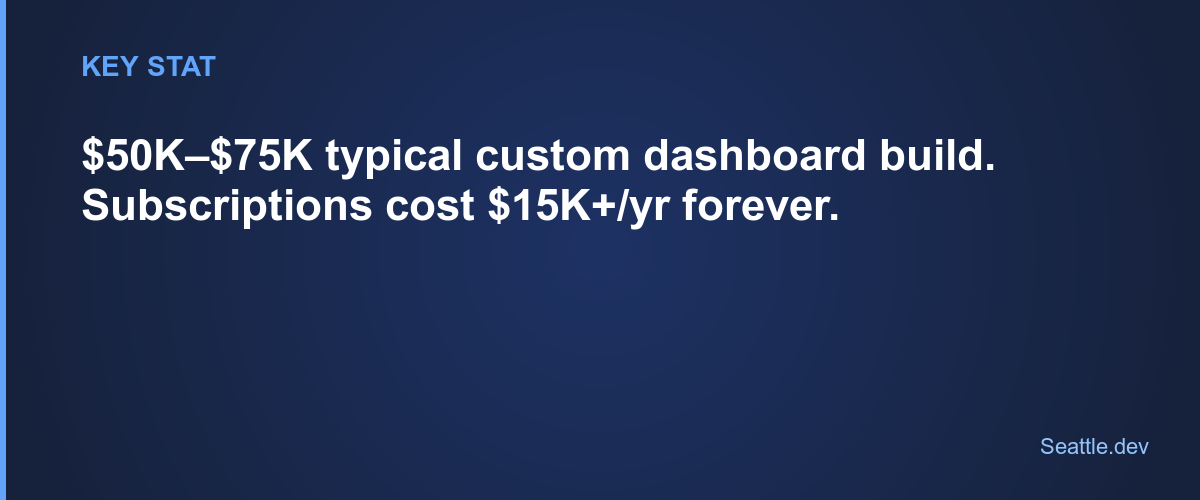
Consider total cost of ownership. Initial development cost is just one part of software investment. Factor in ongoing hosting costs, maintenance, updates, bug fixes, security patches, and future enhancements. Software that costs $50,000 initially but $2,000 monthly to maintain has different economics than software costing $75,000 initially but $200 monthly to maintain.

Lower initial costs with higher maintenance burden can be less economical long-term than higher initial investment in quality that reduces maintenance needs.

Evaluate cost against alternatives. Compare custom development costs to alternatives. If subscription software costs $500 monthly, that's $30,000 over five years. If custom development costs $60,000 but has minimal ongoing costs, it might be more economical. Factor in not just price but capabilities—software that costs less but doesn't actually meet needs wastes money.

The cheapest option that doesn't solve your problems isn't a good investment regardless of price.

Invest in quality where it matters. Spend more on parts of your software that are business-critical, customer-facing, or changed frequently. Spend less on stable, internal, or commodity features. This targeted investment optimizes value without overspending on everything equally.

Customer-facing interfaces deserve polish. Internal admin tools can be more utilitarian. Frequently modified features deserve clean architecture. Stable features can be simpler.

Plan for evolution, not perfection. Don't try to build the perfect complete system in version one. Build something valuable that works, learn from using it, then enhance based on actual needs rather than theoretical requirements. This iterative approach typically costs less and delivers more value than trying to predict and build everything upfront.

Software that evolves based on real usage tends to fit actual needs better than software designed entirely upfront based on assumptions.

Red Flags in Software Proposals

Some warning signs indicate proposals that are likely to cause problems.

Estimates that seem too good to be true. If one proposal is dramatically cheaper than others without clear reasons why, be suspicious. Either requirements are misunderstood, quality will suffer, corners will be cut, or surprise costs will emerge later. Very low estimates often indicate very poor outcomes.

Lack of detailed breakdown. Good estimates explain what's included and approximately how long various components take. Vague "the project will cost $X" without detail makes it impossible to evaluate what you're paying for or identify if something's missing.

No questions about your business. Developers who estimate without asking detailed questions about your business, users, workflows, and requirements don't understand what they're estimating. They're guessing based on superficial information. These guesses are often wildly inaccurate.

Promises of fixed prices without clear scope. Fixed-price bids require fixed scope. If scope isn't detailed and agreed upon, fixed prices are illusory—any changes or clarifications become expensive "extras." Be wary of fixed prices without equally detailed specifications.

Pressure to commit immediately. Legitimate developers understand software projects are significant investments that deserve careful consideration. Pressure tactics suggesting you need to commit immediately indicate problematic dynamics. Take time to evaluate proposals thoughtfully.

Investing in Software That Serves Your Business

Custom software costs money—sometimes substantial money. But it's investment, not expense. Good software enables operations, supports growth, differentiates your business, and delivers value for years.

The goal isn't minimizing cost. It's maximizing value per dollar invested. Sometimes that means spending more for quality that serves you well long-term. Other times it means spending less on simpler solutions that meet current needs adequately.

Ready to understand what custom software will really cost for your specific needs? We help Seattle businesses evaluate software investment decisions with clear, detailed proposals that explain what you're paying for and why. Schedule a consultation to discuss your project and get honest, transparent cost estimates based on your actual requirements. We'll help you make informed investment decisions that deliver value without wasting money on unnecessary complexity or features you don't actually need.

Ready to Start Your Project?

Let's discuss how we can help bring your ideas to life

Schedule a Free Consultation
Bandmate Footer Background
Seattle.dev Logo

Custom web development and design for Seattle businesses. We specialize in API integration, custom web portals, and business automation.