
How to Eliminate Duplicate Data Entry Between Your Business Systems
Your team enters the same customer information into three different systems. Order details typed into your e-commerce platform get manually copied into your accounting software, then entered again into your shipping system. Contact information flows from your CRM to your email marketing tool through tedious copy-paste operations. Every day, hours disappear into this repetitive data shuffling.
This isn't just annoying—it's expensive. Manual data entry costs your business in three ways: the direct time cost of people doing repetitive work, the error cost when tired fingers mistype critical information, and the opportunity cost of talented team members spending their days copying data instead of serving customers or growing your business.
The frustrating part? Your software systems already know how to talk to each other. Most business applications provide APIs—standardized ways for systems to exchange data automatically. The missing piece is the integration layer that connects these systems and orchestrates the data flow between them. That's where custom API integration transforms how your business operates.
Why Duplicate Data Entry Happens
Before solving the problem, it helps to understand why it exists. Businesses rarely set out to create inefficient workflows. These situations emerge gradually as companies adopt new tools and grow.
You start with one system that works well. Then you add another tool that solves a different problem—maybe a CRM that's better than your homegrown spreadsheet, or accounting software that your bookkeeper prefers. Each system makes sense individually, but they don't know about each other. Data lives in separate silos.
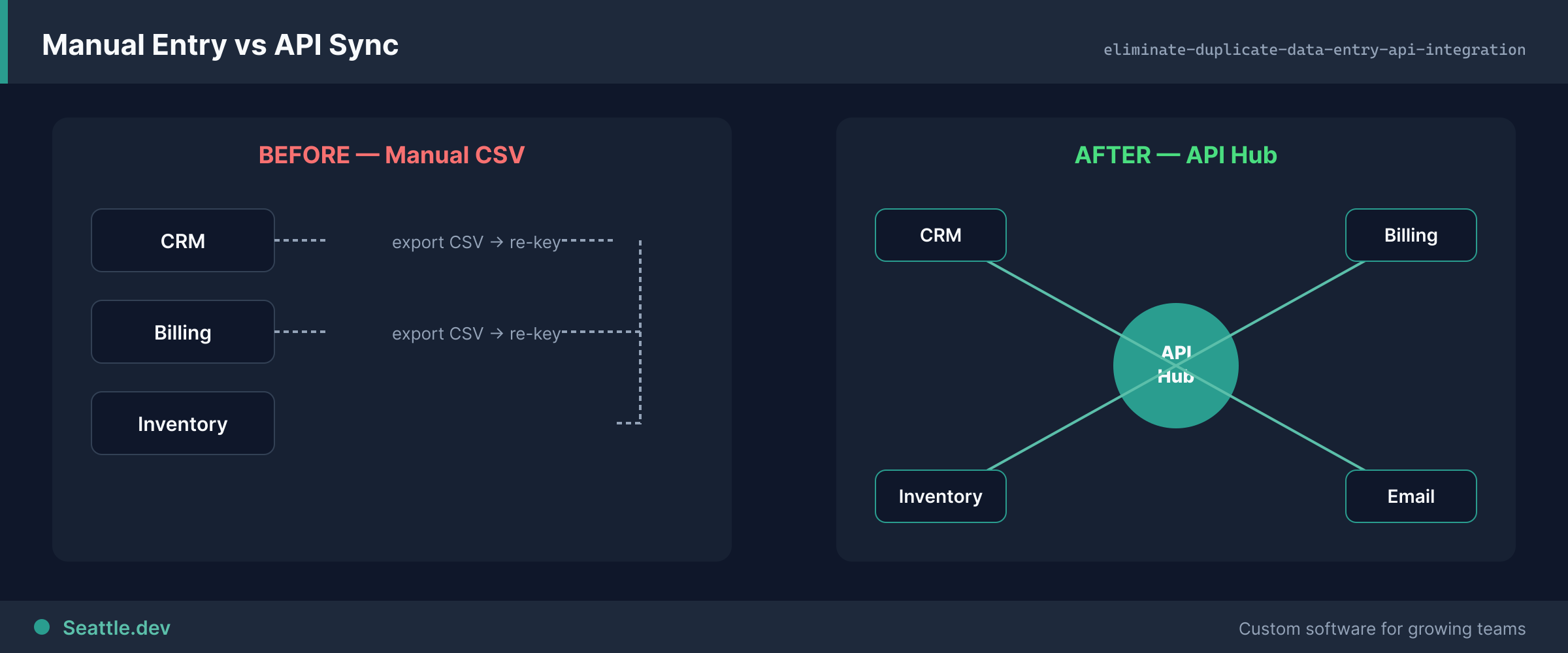
As your business grows, the number of places information needs to exist grows with it. Customer data needs to flow from your website to your CRM, your email platform, your support system, and your analytics tools. Order information starts in one system but needs to reach your inventory management, accounting, shipping, and reporting tools. Without integration, humans become the data transfer mechanism.
Many businesses assume they need to replace their existing tools with an "all-in-one" solution. But all-in-one platforms rarely excel at everything. Your specialized accounting software handles taxes and compliance better than a generic platform's finance module. Your purpose-built CRM offers sales features that no all-in-one system matches. The right solution isn't replacing good tools—it's connecting them.
How API Integration Works
API integration sounds technical, but the concept is straightforward: it's creating automated bridges between your software systems so data flows automatically instead of being manually transferred.
When a customer places an order on your website, API integration can automatically create that customer record in your CRM, add the order to your accounting system, send details to your inventory management tool, and notify your shipping system—all without anyone touching the data. The same information entered once flows everywhere it needs to go.
These integrations run continuously in the background. When information changes in one system, connected systems update automatically. If a customer service representative updates a shipping address in your CRM, that change flows to your fulfillment system immediately. No one remembers to update multiple systems because there's nothing to remember—it just happens.
The technical details happen behind the scenes. Your team doesn't need to think about APIs, authentication protocols, or data transformations. They keep using the same familiar tools they've always used. The only difference is that data appears where it needs to be without anyone manually moving it.
What Gets Better With Integration
The benefits of API integration extend beyond just saving time on data entry. Connected systems transform how your entire business operates.
Eliminate costly errors. Every time someone manually transfers data, there's a chance for mistakes. A transposed digit in an order total. A typo in an email address. A wrong product code. These errors create cascading problems—incorrect invoices, failed deliveries, lost customers. When systems exchange data automatically, the information moves correctly every time. Reduce errors by eliminating the manual steps where they occur.
Speed up operations. Manual data transfer creates delays. Orders sit waiting for someone to enter them into your accounting system. Customer inquiries wait while representatives look up information across multiple tools. Integrations make data available instantly. Orders flow into accounting as soon as they're placed. Customer information is current everywhere, immediately.
Gain complete visibility. When data lives in separate systems, getting a complete picture requires checking multiple places. How many active customers do you have? That depends on which system you ask. Integrated systems create a single source of truth. Your dashboards show accurate, current information pulled from all your systems without manual reporting work.
Enable growth without hiring. Manual processes limit how much your team can handle. Ten orders a day might be manageable to process manually; a hundred orders become overwhelming. API integration scales effortlessly. Whether you process ten orders or a thousand, the automated data flow handles them all. Your team focuses on work that actually requires human attention.
Keep the tools you love. You chose your current software for good reasons. Your team knows how to use it. Your workflows are built around it. Integration lets you keep what works while adding the connectivity you need. You're not asking your team to learn entirely new systems—you're making their current tools work better together.
Common Integration Scenarios
While every business has unique needs, certain integration patterns solve problems across many industries.
E-commerce to accounting. Online orders automatically create invoices in your accounting system, record revenue correctly, update inventory counts, and track customer payment information. Your bookkeeper sees accurate financial data without manually entering every transaction.
CRM to email marketing. New leads automatically flow into your email marketing platform with the right tags and segments. Contact updates in your CRM propagate everywhere. Unsubscribes and bounces flow back to your CRM so your sales team has current information. Your marketing team sends campaigns with confidence that contact data is accurate.
Form submissions to multiple systems. When someone fills out a contact form on your website, that information automatically creates or updates CRM records, triggers email notifications, adds contacts to appropriate marketing sequences, and logs the interaction for follow-up. No one manually processes form submissions because the systems handle it automatically.
Inventory management to sales channels. Product availability updates across your website, marketplace listings, and sales platforms instantly when inventory changes. Orders from any channel update inventory immediately. You avoid overselling and disappointing customers because all sales channels see current availability in real time.
Support system to business tools. Customer support tickets automatically pull in relevant order history, account information, and past interactions from other systems. When support representatives update customer information, those changes flow to your CRM and accounting systems. Your team solves problems faster with complete context, and information stays synchronized.
When Pre-Built Integrations Fall Short
Many software platforms offer pre-built integrations or connect through automation platforms like Zapier. These solutions work well for simple, common scenarios. They become limiting when your needs are specific to how your business actually operates.
Pre-built integrations typically connect two systems in predefined ways. They might sync contacts from your CRM to your email platform, but they don't handle your specific data structure, custom fields, or business rules. When you need information to flow through multiple systems in a specific sequence, with data transformations along the way, generic integrations can't accommodate those requirements.
Automation platforms provide more flexibility through step-by-step workflows. They're great for connecting systems that don't integrate directly. But they charge based on the number of operations you run, and costs escalate quickly as your business grows. They also require your team to understand and maintain the automation workflows, creating an ongoing management burden.
Custom API integration solves complex problems that generic solutions can't handle. When you need data flowing through five systems with business logic applied at each step, when your data structure doesn't match standard formats, when you process volumes that make per-operation pricing expensive, or when you need integrations that feel seamless rather than obviously automated—custom development makes sense.
Building Integration That Lasts
Effective API integration isn't just about connecting systems today. It's about creating infrastructure that grows with your business and adapts as your needs change.
Good integration architecture handles errors gracefully. Systems go offline, APIs return unexpected responses, networks have intermittent issues. Robust integrations detect these problems, retry failed operations automatically, log issues for investigation, and alert appropriate people when intervention is needed. Your business operations don't stop because one system is temporarily unavailable.
Scalable integrations accommodate growth. The integration that processes ten orders today should handle a hundred or a thousand orders tomorrow without modification. Data volumes increase, but well-designed integrations continue working efficiently. You're not rebuilding integrations every time your business grows.
Maintainable integrations adapt when systems change. Software vendors update APIs, your business requirements evolve, you adopt new tools. Integration architecture should make changes straightforward rather than requiring complete rebuilds. When you add a new system to your ecosystem, connecting it shouldn't mean reworking all your existing integrations.
Secure integrations protect sensitive data. Customer information, financial data, and business intelligence flow through these systems. Proper authentication, encryption, and access controls aren't optional—they're fundamental requirements. Your integration infrastructure should meet the same security standards as the systems it connects.
Starting Your Integration Project
The path to eliminating duplicate data entry starts with understanding your current workflows and identifying high-value integration opportunities.
Map where information flows manually in your business today. Which systems contain overlapping data? Where do your team members copy information from one place to another? What errors occur frequently? These patterns reveal integration opportunities.
Prioritize based on impact. Focus first on integrations that save the most time, eliminate the most errors, or remove the biggest bottlenecks. You don't need to integrate everything simultaneously. Strategic integrations that solve significant problems deliver immediate value and build momentum for broader connectivity.
Consider both immediate needs and future growth. While integration projects should deliver value quickly, think about where your business is heading. Will you be adding more sales channels? Expanding to new locations? Growing your team? Integration architecture should accommodate your direction, not just your current state.
Ready to stop wasting hours on duplicate data entry? We help Seattle businesses connect their systems and eliminate manual work through custom API integration. Schedule a consultation to discuss your workflow challenges and explore how integration can transform your operations. We'll identify your highest-value integration opportunities and create a practical plan that delivers results you can measure in saved hours and eliminated errors.