

Choosing the Right Technology Stack for Your Custom Business Software
Pick boring technology. That is most of the advice. The rest of this post is why, and where the exceptions actually matter.
Business owners treat stack choice like a landmine. Wrong language, locked in forever. Right framework, somehow free forever. Both are wrong. For most custom business software, the programming language is not what decides success. Longevity of support, who you can hire later, and whether the ecosystem already has the integrations you need matter more than whatever is trending on Hacker News this month.
What actually moves the needle
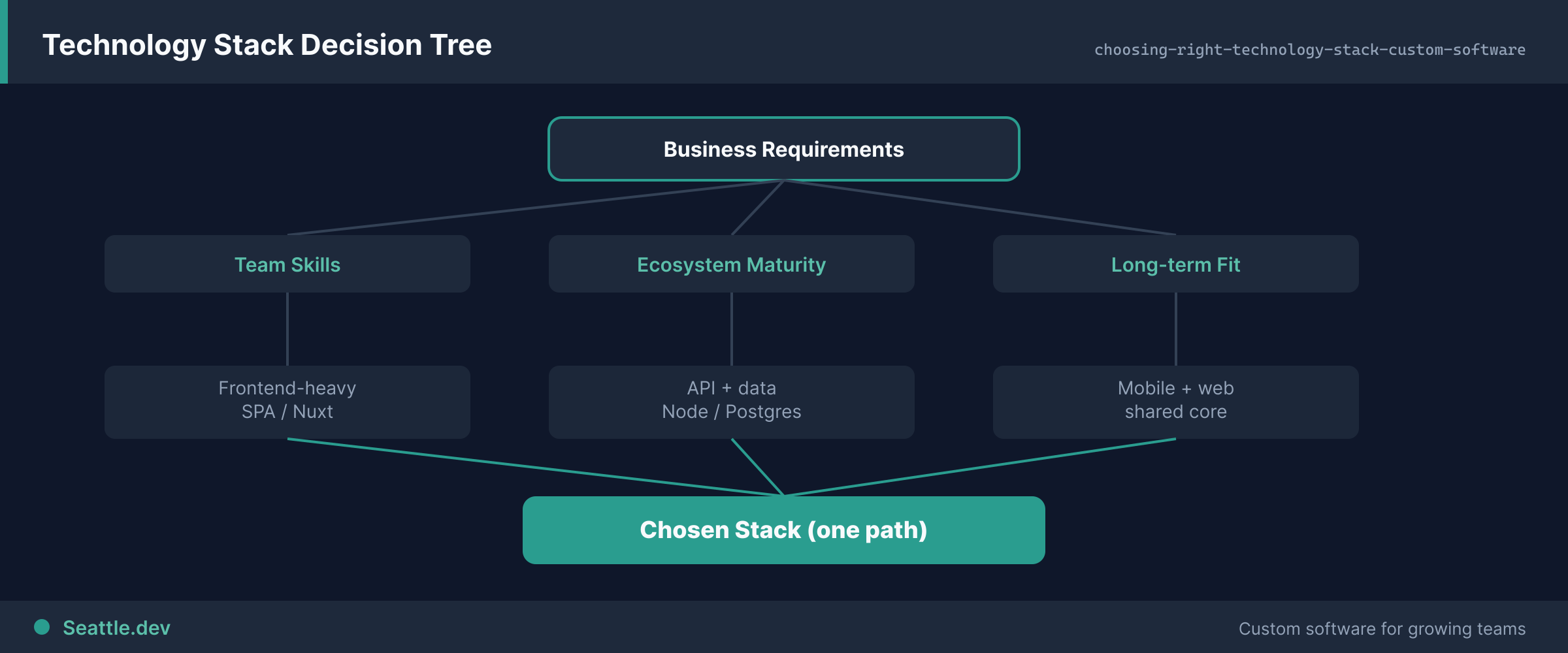
Will it still be maintainable in ten years? Business software sticks around. You want platforms with large communities, real documentation, and a track record of not vanishing. Proven and still actively developed beats shiny and six months old.
Can you find developers without a treasure hunt? Maintenance, bugs, features. Someone has to do that work. Obscure stacks make hiring slow and expensive. A "good enough" mainstream stack with thousands of developers beats a theoretically elegant one known by a few hundred people worldwide.
Does the ecosystem already solve your boring problems? Stripe, SendGrid, your CRM, your accounting tool. Mature stacks have maintained libraries for all of that. Immature ones mean custom glue for everything, which is how projects bloat.
Performance for your real load, not Google's. A customer portal with a few hundred users needs reliability more than extreme concurrency. Do not pay complexity tax for scale you will not hit. Adequate and maintainable beats optimal and fragile.
Security and compliance without reinventing it. Frameworks with solid defaults, regular updates, and documented patterns for common vulnerabilities make secure work easier. You want that help, not a blank canvas.
Patterns that work for business software
Traditional web stacks. PHP, Python, Ruby, or Java on the backend. PostgreSQL or MySQL. React or Vue on the front. Not exciting. That is the point. Decades of production use, abundant developers, deep docs.
Full-stack frameworks. Next.js, Nuxt, Laravel, Django. Conventions reduce decision fatigue and make the next developer productive faster. I practice this: the sites I ship run on Nuxt 4, Vue 3, strict TypeScript, FormKit, and Tailwind. Nothing exotic. Easy to hire for. Clients are not stuck depending on me alone to keep the thing alive.
API-first when you expect multiple surfaces. Node, Go, or Python APIs feeding web, mobile, and third-party tools. Business logic in one place. When I scope custom API development, this is usually the shape I recommend for businesses that know more interfaces are coming.
Things I push back on
Brand-new frameworks. Small community, shifting best practices, breaking changes, thin docs, scarce talent. Let other people pioneer. Once a stack has survived a few years and real production traffic, it becomes a candidate.
Enterprise architecture for a team of eight. Microservices and event-driven systems solve real problems at real scale. For most SMB software they add moving parts you will pay to monitor and debug forever. Start simple. Evolve when pain is real, not hypothetical.
Tiny communities. Large communities mean answers exist when you hit a weird bug at 11pm. Small ones mean you are the documentation.
Unnecessary lock-in. Prefer open standards and clean data export. Platform benefits can outweigh flexibility sometimes, but know the trade-off before you sign up for it.
Databases: get this one less wrong
Relational databases (PostgreSQL, MySQL) are the default for structured business data. Customers have orders, orders have line items. Integrity, transactions, mature tooling. Unless you have a specific reason, stay relational.
NoSQL is for genuine unstructured data or specific scaling profiles. Not because it sounds modern.
You do not need Google-scale design on day one. Modern relational databases handle large volumes when schema and indexes are done well. Most performance disasters are bad design, not the wrong database brand.
Hosting without becoming a sysadmin
Cloud giants are powerful and easy to overspend on. Simpler hosts are predictable and more hands-on. For most business software I favor managed hosting: servers, scaling, backups, patches handled so you focus on the product.
Real numbers from the work I do: hosting for custom portals usually runs $200–500 per month depending on traffic and data. Ongoing support that covers updates, monitoring, and fixes starts around $750 per month. Those costs belong in the stack decision from day one. Cheap to build and expensive to run is not a win. Managed hosting services exist because most owners do not want a second job.
PaaS options (Render, Vercel, similar) trade control for operational simplicity. Fine starting point for small teams. Managed databases with tested restore procedures. Untested backups are not backups.
How I decide with a client
Maintainability over novelty. Match the stack to who will touch it later (in-house team vs contractors favors mainstream). Optimize for business outcomes, not resume-driven development. If you hired an experienced developer for this, ask why they recommend a stack, then let them own the call unless something smells like fashion over fitness.
Perfect selection is impossible. Requirements shift. Tools age. Aim for good enough for years, changeable if you must. Most regret comes from trendy tools that died, complexity nobody could maintain, or niches nobody could staff.
I help Seattle businesses make these calls as part of custom software development work: practical, boring-on-purpose choices that still ship. Schedule a consultation if you want a stack conversation grounded in your constraints, not a framework fashion show.