
[object Object]

The most overlooked software in any company is the internal tools that employees use daily. Companies obsess over customer-facing applications—every pixel perfect, every interaction optimized, every feature user-tested. Then they turn to internal tools and settle for clunky, frustrating interfaces that nobody wants to use but everyone must tolerate.

Admin Panel Design: Building Internal Tools Your Team Will Love

The most overlooked software in any company is the internal tools that employees use daily. Companies obsess over customer-facing applications—every pixel perfect, every interaction optimized, every feature user-tested. Then they turn to internal tools and settle for clunky, frustrating interfaces that nobody wants to use but everyone must tolerate.

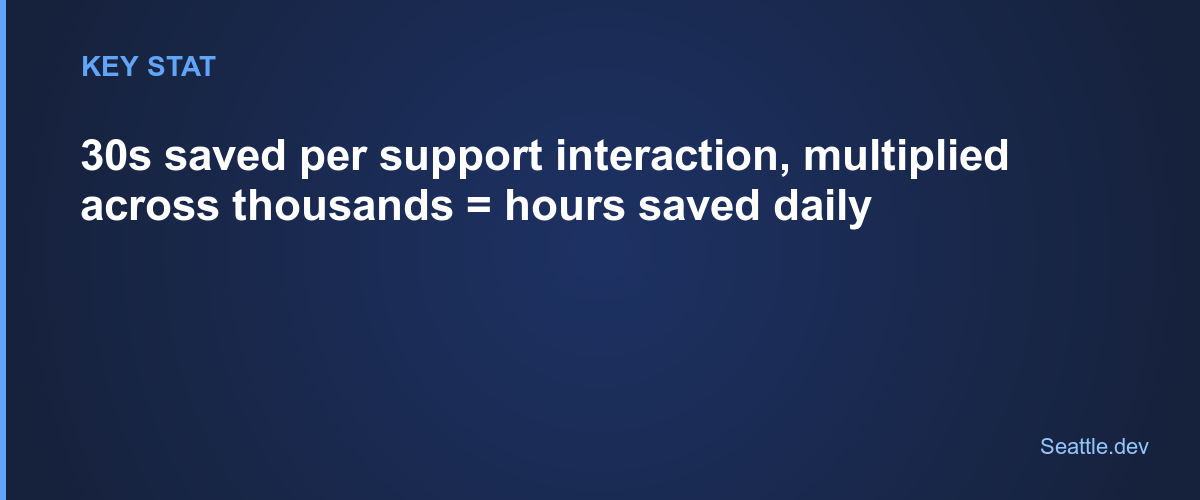
This double standard costs more than most executives realize. When customer service representatives waste 30 seconds navigating a poorly designed admin panel for each support inquiry, those seconds multiply across thousands of interactions into hours of lost productivity. When operations managers can't quickly find the information they need, decisions get delayed or made without complete data. When new employees spend weeks learning convoluted internal systems, onboarding becomes expensive and frustrating.

Great admin panels aren't about making things pretty—they're about respecting your team's time, reducing cognitive load, and enabling people to work at the speed of thought. Let's explore how to build internal tools that your team actually appreciates instead of merely tolerates.

Why Internal Tools Deserve Your Best Design Thinking

The argument for investing in internal tool quality isn't just about employee satisfaction—though that matters. It's about operational efficiency that compounds daily.

Your team uses internal tools for hours every day. A customer might spend minutes on your public-facing product, but employees spend their entire workday in admin panels and internal dashboards. Small inefficiencies multiply dramatically. An interface that takes five extra clicks per task doesn't sound like much, but across dozens of daily tasks and dozens of team members, those clicks represent real costs.

Internal tools shape what's possible in your business. If your admin panel makes certain operations difficult, those operations won't happen consistently. If data is hard to access, decisions get made without data. If workflows require too many steps, shortcuts emerge that bypass important controls. Your internal tools don't just support operations—they define what operations are practical.

Employee retention correlates with tool quality more than most realize. Talented people get frustrated working with terrible internal tools. They know better systems exist because they've used them elsewhere. Making your team fight with bad software to do their jobs doesn't just waste time—it signals that you don't value their experience or efficiency.

The Core Features Every Admin Panel Needs

Regardless of your specific business, effective admin panels share common foundational elements. Miss these basics, and nothing else matters.

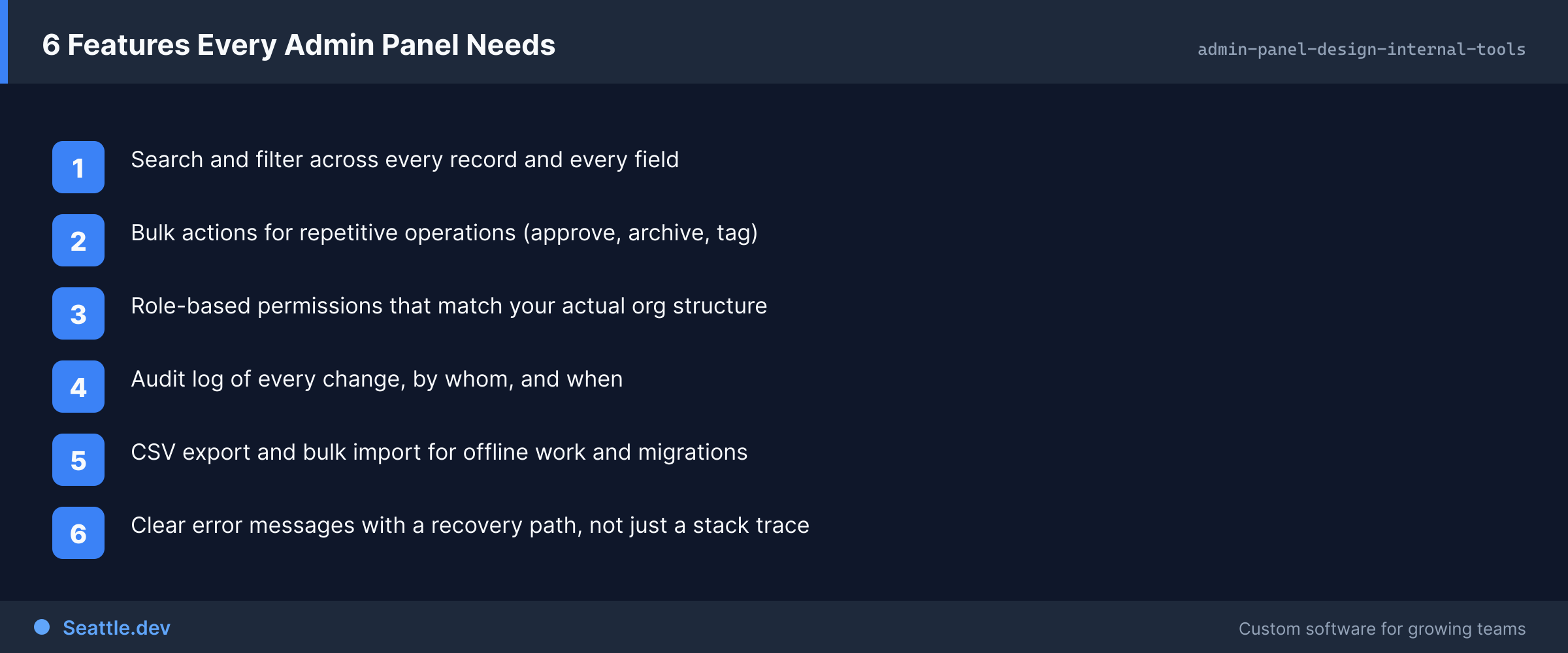
Search that actually works. Your team knows what they're looking for—customer names, order numbers, account IDs, transaction references. They shouldn't need to navigate through menus or filter through lists to find specific records. Implement global search that's always accessible, returns results instantly, and searches across relevant data types. Make search smart enough to handle partial matches, typos, and different formats of the same identifier.

Bulk operations for efficiency. Performing actions one item at a time is soul-crushing. If someone needs to update 50 customer records or export 100 orders, clicking through 50 or 100 individual actions is wasteful. Enable selecting multiple items and performing batch operations. Provide filtering to identify the exact set of records that need action. Let people work at scale rather than tediously clicking through repetitive tasks.

Audit trails for accountability and debugging. When something goes wrong—and eventually something always goes wrong—you need to understand what happened and when. Every meaningful action in an admin panel should be logged with who did it, when, and what changed. This isn't about surveillance; it's about debugging problems, maintaining compliance, and having confidence in your data integrity. Display relevant history alongside records so people can see change context without searching through separate logs.

Sensible permissions and roles. Not everyone needs access to everything. Customer service needs customer data but not financial controls. Finance needs payment information but not operational settings. Junior staff need different capabilities than managers. Implement role-based access control that reflects real organizational structure and responsibility levels. Make it easy to grant appropriate access without exposing sensitive data or dangerous operations to people who don't need them.

Context and clarity at every step. Internal tools often lack the explanatory text and helpful guidance that customer-facing products provide. This assumes employees inherently understand everything, which they don't. Provide clear labels, explain what actions do, show what data means, and guide people through complex workflows. Your team shouldn't need to remember arcane details or ask colleagues for help with routine tasks.

Designing for Speed and Efficiency

Admin panels serve people doing repetitive tasks under time pressure. Every interaction should be optimized for speed and efficiency rather than discovery and exploration.

Prioritize keyboard navigation. Mouse-based navigation is slow compared to keyboard shortcuts for people using the same interface repeatedly. Implement keyboard shortcuts for common actions, enable tabbing through forms logically, and allow power users to work without touching a mouse. Shortcuts don't need to be discoverable by everyone—power users will learn them, and occasional users can still use mouse navigation.

Reduce clicks to completion. Count how many clicks each common task requires and relentlessly optimize. If looking up a customer, viewing their orders, and updating an address takes 12 clicks, that's too many. Combine steps where possible. Provide quick actions from list views. Allow editing inline rather than requiring navigation to edit screens. Every eliminated click saves seconds that multiply across hundreds of daily operations.

Optimize loading and transitions. Internal tools often neglect performance because they're "just for employees." This is backwards—your team deserves fast, responsive tools more than occasional external users do. Optimize database queries. Preload data intelligently. Use optimistic updates where appropriate. Make interactions feel instant even when backend processing takes time.

Design for scanning, not reading. People using admin panels scan information looking for relevant details, they don't read carefully like they might read documentation. Use visual hierarchy, whitespace, and typography to make scanning easy. Highlight important information. Use color meaningfully to draw attention. Make different types of information visually distinct so people can find what they need without reading everything.

Remember context and preferences. If someone sets filters, sorts a list a certain way, or customizes a dashboard, remember those preferences. Don't make people reconfigure their workspace every time they log in. Respect their time by maintaining the working environment they've established.

Workflows That Match Real Operations

Generic interfaces force operations to conform to the software. Great admin panels conform to how your business actually works.

Understanding real workflows requires watching people work and listening to their frustrations. Don't ask what features they want—that generates wish lists. Instead, observe what takes too long, what causes errors, what requires consulting documentation, and what makes people sigh in frustration. Those observations reveal what actually needs improvement.

Map out complete workflows from start to finish. If processing a customer refund involves checking order history, verifying payment information, calculating refund amounts, initiating transactions, sending confirmation emails, and updating records, design interfaces that support that exact sequence. Provide the information needed at each step without requiring navigation away and back.

Consider frequency and importance when prioritizing. Operations that happen dozens of times daily deserve more optimization than operations that happen monthly. Tasks that directly impact customers or revenue deserve more attention than internal housekeeping. Ruthlessly prioritize based on real impact, not perceived importance.

Build flexibility for exceptions. Standard workflows handle common cases, but edge cases happen frequently in real operations. Enable overrides, special handling, and manual adjustments when needed without forcing people to hack around the system. Document exceptions automatically so they're visible in audit trails.

Handling Errors and Edge Cases Gracefully

Admin panels often handle complex operations with many potential failure modes. How you handle problems determines whether people trust and rely on your tools or work around them.

Validate early and clearly. Don't let people complete lengthy forms only to discover an error at submission. Validate as they type when possible. Show clear error messages next to the relevant fields. Explain what's wrong and how to fix it. If data must match a specific format, show an example rather than just listing requirements.

Make destructive actions reversible. People make mistakes, especially under time pressure. Deletions should be soft deletes that can be undone. Bulk operations should be reviewable before execution. Critical actions should require confirmation that explains consequences. When something goes wrong, provide clear paths to undo or correct the problem rather than requiring escalation to technical teams.

Handle partial failures intelligently. When batch operations partially succeed, don't leave people guessing about what worked and what failed. Show exactly which items succeeded and which failed. Provide reasons for failures. Allow retrying failed items without redoing successful ones. Never leave operations in ambiguous states where people can't tell if something worked.

Log errors comprehensively. When operations fail, capture enough information to debug the problem without requiring people to explain what they did. Log the full context, including inputs, user, timing, and system state. Make logs accessible to appropriate staff so they can self-service simple investigations rather than filing tickets.

Provide meaningful error messages. "Error 500" or "Operation failed" tells people nothing useful. Explain what went wrong in business terms. "This order can't be refunded because the payment is still processing. Try again in 5 minutes." is actionable. "Database error" is not.

Security Without Unnecessary Friction

Admin panels handle sensitive operations and data, requiring strong security. But security that creates excessive friction gets circumvented, destroying the protection it was meant to provide.

Implement session timeouts thoughtfully. Aggressive timeouts improve security but frustrate people who step away briefly and lose their work. Balance security needs with usability. Use shorter timeouts for highly sensitive operations and longer timeouts for routine work. Warn before timing out and provide easy reauthentication that preserves context.

Design permission systems that scale. Starting with simple "admin" and "user" roles works initially but becomes problematic as organizations grow. Design role-based access control that reflects real organizational structure. Make it easy to grant appropriate permissions without either over-permitting or creating dozens of near-duplicate roles.

Audit without surveillance. Logging all actions is necessary for debugging and compliance, but making people feel constantly watched is counterproductive. Design audit systems that respect privacy while maintaining accountability. Log actions, not keystrokes. Track outcomes, not every click.

Secure by default, permissive by exception. New features should default to restricted access until someone explicitly grants permissions. This prevents accidentally exposing sensitive capabilities. Make the permission-granting process straightforward so security doesn't become a bottleneck.

Handle authentication failures gracefully. When authentication fails, don't just lock people out. Explain why—incorrect password, account locked, session expired. Provide clear next steps. Allow recovery without creating security vulnerabilities.

Building for Growth and Change

Admin panels evolve as businesses grow. Building with this evolution in mind saves expensive refactoring later.

Design data models that accommodate expansion. Today's simple customer record becomes tomorrow's complex relationship with multiple contacts, locations, and sub-accounts. Database design should allow organic growth without requiring major restructuring. Use patterns that scale—many-to-many relationships instead of hardcoded limits, flexible JSON fields for extension data, versioning for schema evolution.

Make adding features straightforward. Admin panels constantly need new capabilities. Architecture should make adding features easy rather than requiring rework of existing code. Modular design with clear separation between data, logic, and presentation enables adding features without creating cascading changes.

Plan for integration from the start. Admin panels rarely operate in isolation. They need to connect with CRMs, financial systems, communication tools, and other business software. Build with APIs and integration points as first-class concerns, not afterthoughts.

Support customization without fragmentation. Different teams or departments often need slightly different versions of the same basic capabilities. Build customization that allows configuration without requiring separate code branches. Personalization through settings and preferences prevents the need to maintain multiple versions.

The Technology Choices That Matter

Technical decisions impact long-term maintainability and capability more than initial development speed.

Choose frameworks with long-term support and large ecosystems. The newest, trendiest technology might be exciting, but admin panels need to be maintainable for years by different developers. Bet on proven technologies with extensive documentation, large communities, and track records of supporting enterprise applications.

Implement proper authentication and authorization from the beginning. Bolting security onto an existing application is expensive and error-prone. Use established libraries and patterns rather than creating custom authentication. Get this foundation right initially.

Design APIs that can serve multiple interfaces. Your initial admin panel might be a web application, but future needs might include mobile apps, third-party integrations, or automated systems. Clean API design enables all these use cases without rearchitecting core systems.

Optimize database design for both reading and writing. Admin panels typically involve more complex queries than customer-facing applications—filtering, sorting, joining data from multiple tables, aggregating statistics. Poor database design creates performance problems that worsen as data grows.

Measuring Admin Panel Effectiveness

Unlike customer-facing products with obvious metrics like conversion rates, measuring internal tool effectiveness requires different approaches.

Task completion time reveals efficiency. Time how long common operations take and track improvements. If customer lookups averaged 45 seconds and now take 15 seconds, that quantifies improvement. Multiply by frequency to understand total time savings.

Error rates indicate design quality. Track how often people make mistakes, trigger validation errors, or need to redo operations. High error rates suggest confusing interfaces or inadequate guidance. Improving design should reduce errors without adding more friction.

Support ticket volume shows self-service success. Track questions and issues about internal tools. Well-designed admin panels reduce support burden because people can figure things out independently. Increasing support tickets suggest design problems or missing capabilities.

Feature adoption reveals whether capabilities are discoverable and useful. If you build features nobody uses, either they weren't needed or people can't find them. Track usage of major features and investigate low adoption to understand whether design or communication needs improvement.

Employee satisfaction ultimately determines success. Survey users regularly about their experience with internal tools. Ask specific questions about pain points, missing capabilities, and what works well. This qualitative feedback guides improvement priorities better than usage metrics alone.

Starting Your Admin Panel Project

Building admin panels that your team loves instead of tolerates isn't more expensive than building mediocre ones—it just requires different priorities. Instead of minimizing development cost, minimize ongoing operational cost through better design. Instead of implementing every feature, focus on making common operations effortless.

The first step is understanding current workflows and pain points. Watch people work. Listen to their complaints. Identify what wastes time and causes frustration. Those observations guide better design than feature wish lists ever will.

Ready to build internal tools that actually improve team productivity? Schedule a consultation to discuss your team's workflows and explore how custom admin panel development can transform your operations. We'll help you identify high-value improvements and create practical implementation plans that deliver results your team will appreciate.

Ready to Start Your Project?

Let's discuss how we can help bring your ideas to life

Schedule a Free Consultation
Bandmate Footer Background
Seattle.dev Logo

Custom web development and design for Seattle businesses. We specialize in API integration, custom web portals, and business automation.